Digital Briefcase: Design System & Feature Evolution

Role
Full Stack Product Designer
Timeline
November 2023 - January 2024
Tools
Figma, FigJam, Xcode, Notion
Deliverables
Client focus feature, Responsive UI updates, Design system ops, Page templates, Component checklist.
Overview
As part of a short-term collaboration with Geniant, CI&T, and Franklin Templeton for a global product launch, I supported experience design by producing production-ready assets, building new features, managing the design system, and creating prototypes. My work was grounded in user-centered design, guided by extensive user research to align with user needs and strategic goals.
Product Overview
The Briefcase app is Franklin Templeton’s main presentation tool used by sales teams during live client meetings. When I joined the project, the company was preparing for an international rollout. The core product was strong, but important parts of the workflow and design system were slowing teams down at the exact moment they needed absolute reliability.
My responsibility was to step into this fast moving environment and stabilize the experience. I focused on reinforcing the design system, building missing features, reducing cognitive load for associates, and improving consistency across teams, devices, and compliance requirements
The Problem
Sales associates often needed thirty to forty five seconds to locate the correct document in the middle of a live meeting. In a face to face conversation, that pause creates uncertainty and disrupts the flow of the presentation. This slowdown came from several deeper issues:
Rapid feature growth had produced inconsistent components and duplicates.
There was no way to pre filter materials before walking into a meeting.
UIKit based components shifted unpredictably whenever Apple released an update.
The tool technically functioned, but it did not behave reliably in high pressure situations where trust and credibility matter.
Constraints and Environment
The project took place inside a complex ecosystem:
Multiple vendors supporting the same product (Franklin Templeton, Geniant, CI&T)
Dependencies on iOS updates
A tight global rollout timeline
Strict compliance rules related to document visibility
Multiple iPad Pro sizes that needed a unified experience
An inherited design system with uneven quality and missing rules
This was not a greenfield redesign. It required stabilizing a living system while adding new functionality.
By reviewing workflows, interviewing associates, and examining historical design decisions, several patterns became immediately clear:
Search friction was the primary source of slowdown.
Associates worried about exposing irrelevant or sensitive documents during screen sharing.
Preparation habits varied because the product did not support the way people actually worked.
UIKit defaults caused unpredictable UI drift.
The core problem was not simply slow search. It was a lack of trust that the system would behave predictably when it mattered most.
My Approach
By optimizing the Settings experience, I ensured Client Focus Mode felt seamless—not just a feature, but an integrated part of the workflow.

How I Diagnosed the Real Issues
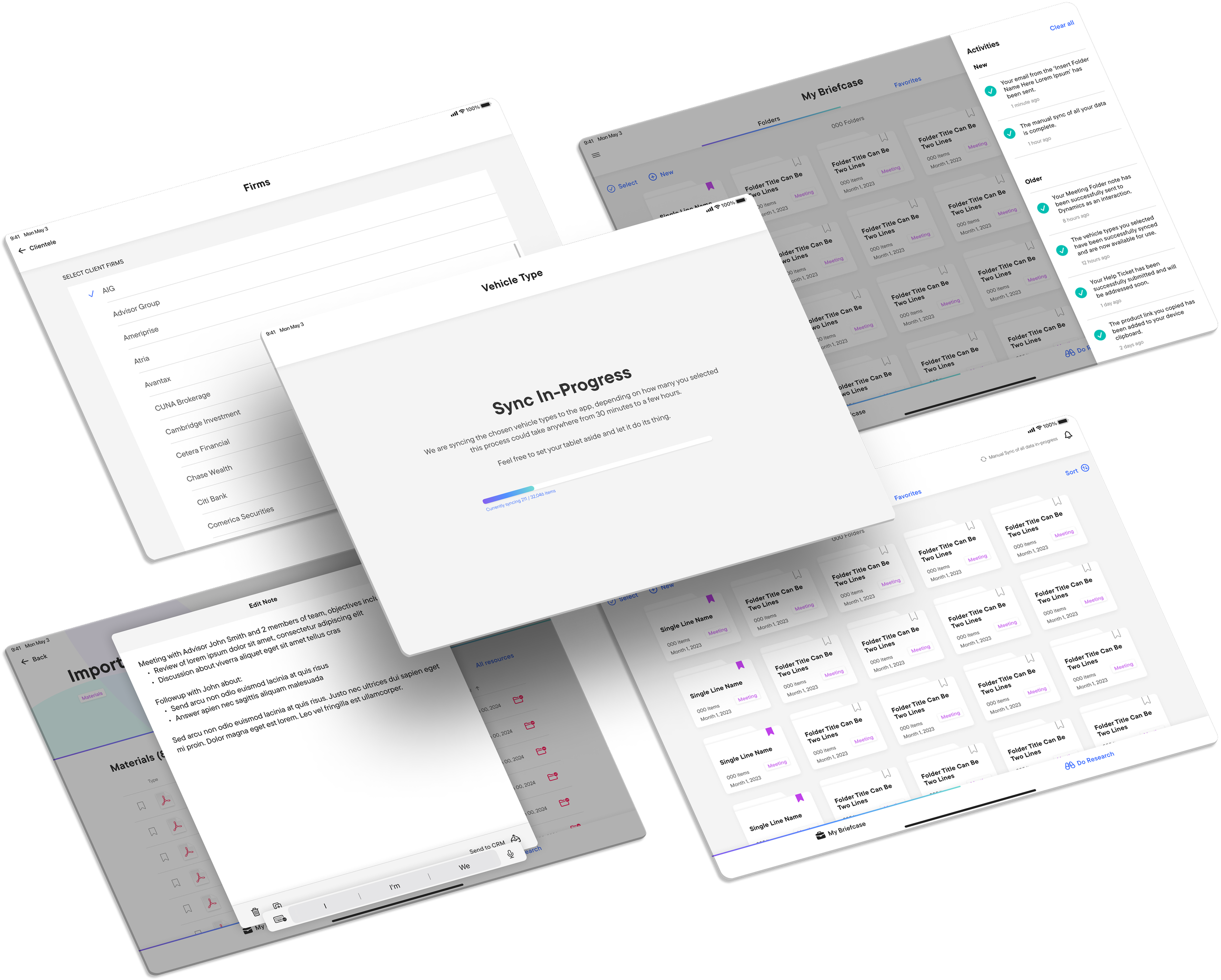
The product needed a way to adapt to the context of each meeting. I introduced a feature called Client Focus Mode. Associates could pre select the firms they planned to present to, and the app would automatically hide all materials unrelated to that client.
This reduced clutter, removed screen sharing anxiety, and created a more confident presentation environment.
Outcomes:
Retrieval steps reduced from seven to three
Lower cognitive load in meetings
Safer screen sharing
Faster preparation workflows
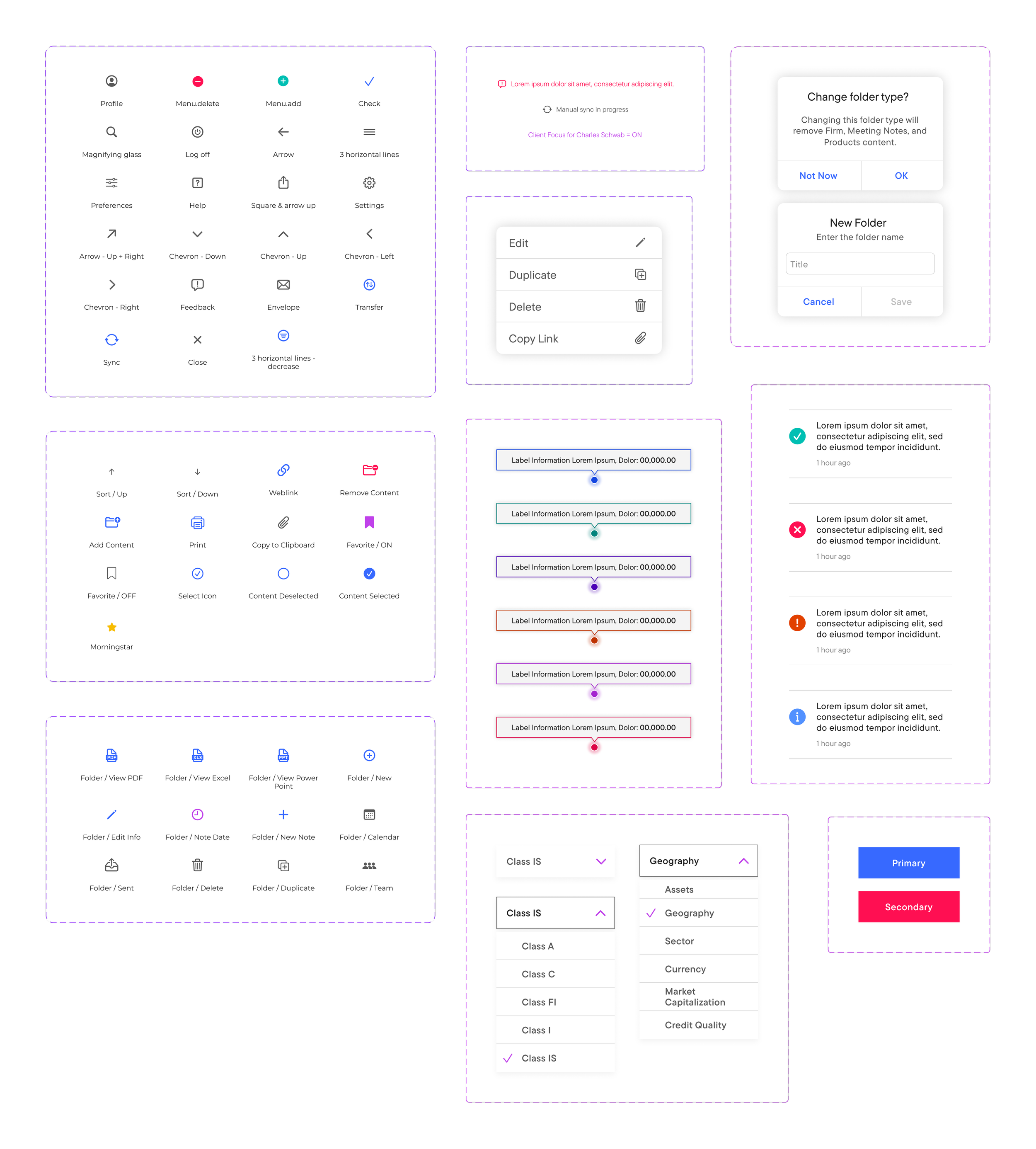
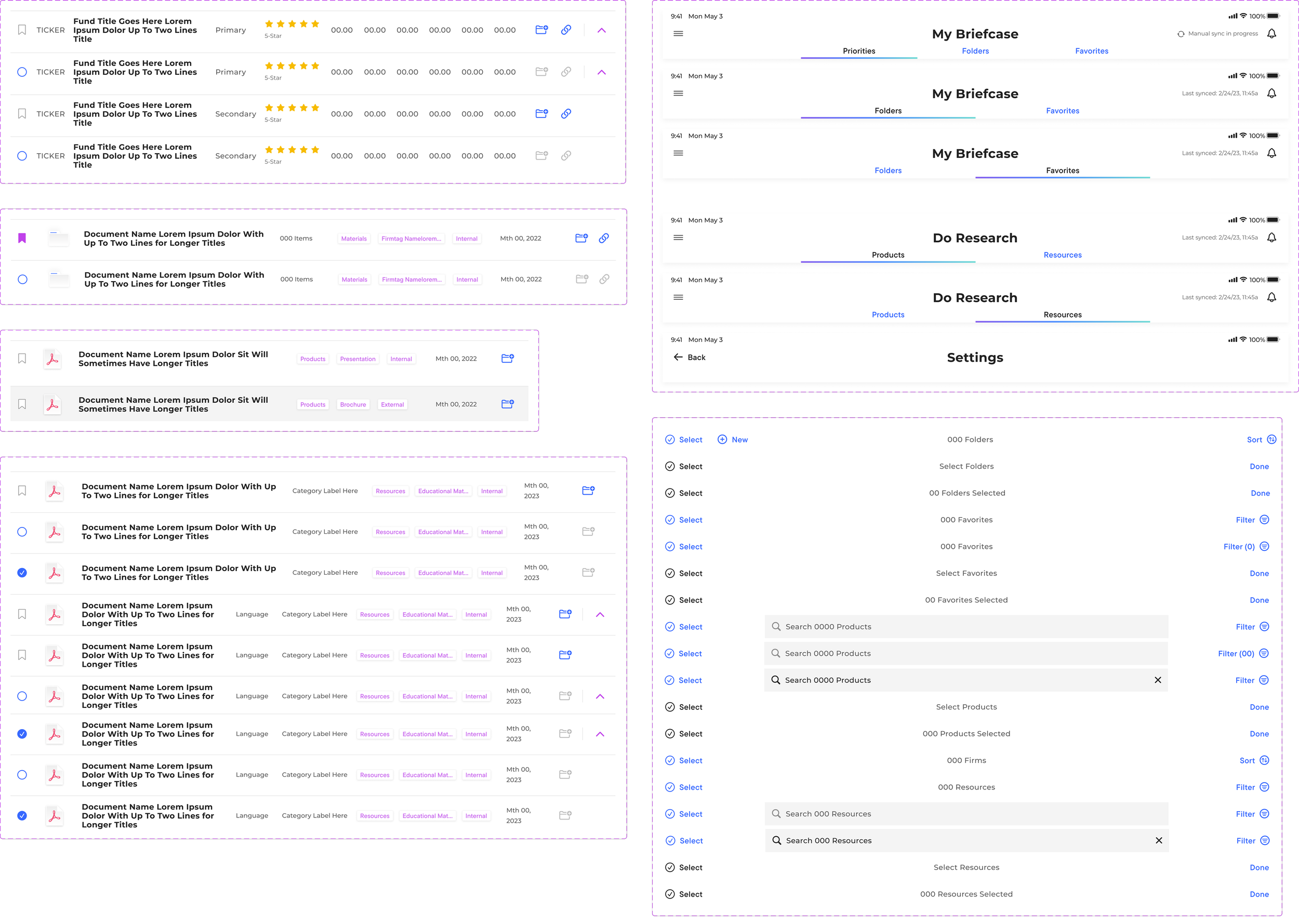
To support Client Focus Mode and reduce system drift, I reworked the entire Settings area. I reorganized the information architecture to match the preparation workflow, introduced dynamic filtering modules, and rebuilt components to stay clear across different device sizes.
This turned Settings into a functional part of meeting preparation rather than a generic configuration page.
Responsive UI for 11 and 13 inch iPad Pro
Sales teams used two primary iPad sizes, but the product behaved differently across each. I standardized breakpoints, spacing, typography, touch target sizing, and auto layout templates to create a single reliable experience across both devices.
This reduced QA surprises and improved consistency across the entire system.
Decoupling From UIKit
UIKit defaults were introducing silent regressions during every major iOS update. To prevent these issues, I redesigned components so they no longer depended on UIKit behaviors.
This gave engineering tighter control, reduced unpredictable behavior, and made QA cycles more stable.
System benefits:
More predictable component behavior
Faster iteration
Fewer regressions during OS updates
Clearer handoff between vendors

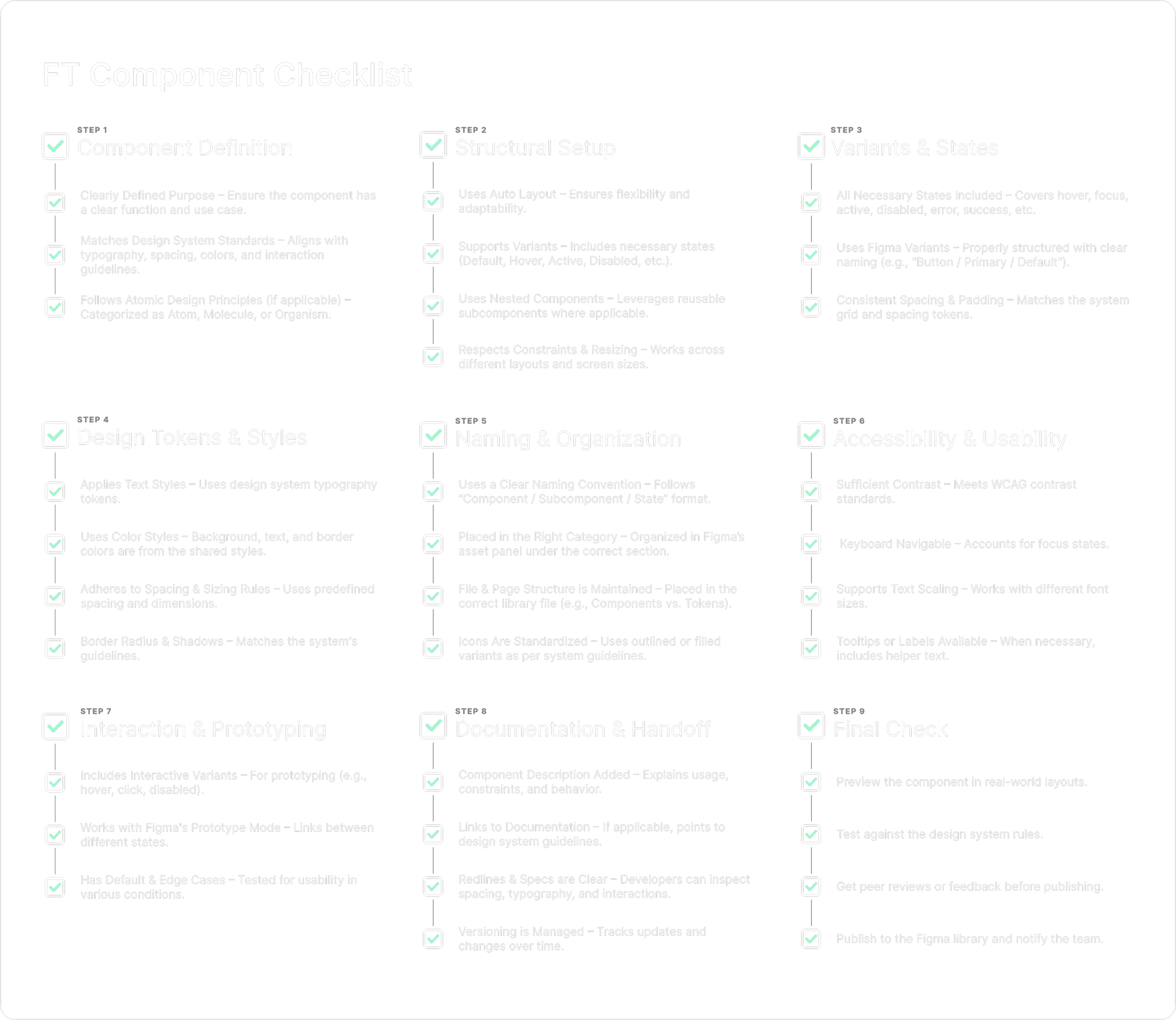
Component Checklist: Preserving Consistency Across Teams
To prevent design to engineering drift, I created a structured component checklist that documented states, spacing rules, responsive behavior, and usage guidance.
This provided consistency across vendor teams and reduced onboarding friction for new contributors.
Impact
Despite the tight timeline and technical complexity, the product achieved measurable gains after launch:
Twenty five percent increase in associate sales productivity
Faster preparation time before meetings
Fewer document retrieval errors
Stronger design system stability
Reduced UI regressions
More unified patterns across vendor teams
The most important outcome was renewed confidence in the product during high pressure client conversations.
Client Focus Mode
Reducing Noise Where It Matters
Settings Redesign: Aligning IA with Real Mental Models

Reflection
This project required balancing immediate feature delivery with long term system stability. The meaningful progress came not only from building new functionality but from aligning multiple teams, reducing technical risk, and strengthening the design system behind the scenes.
It reinforced a belief I hold strongly. Clarity is not cosmetic. In complex systems with many collaborators and real world pressure, clarity becomes a competitive advantage.

other work.
-
![]()
Big League AI
-
![]()
CFB Lately
-
![]()
Powerful Web
-
![]()
Fluidra
-
![]()
CalAmp